AB Commander: Dual-panel file manager and File Explorer replacement
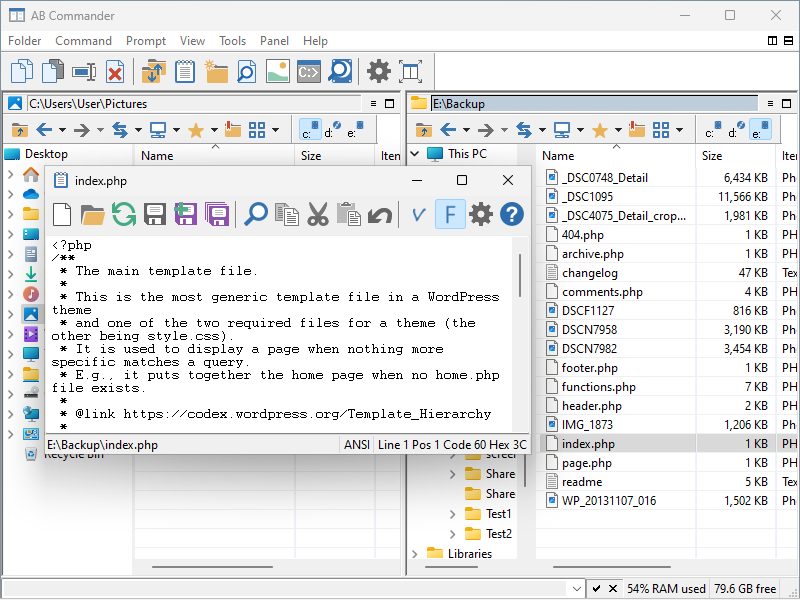
 AB Commander™ is a dual-panel file manager and Windows Explorer replacement that you can use to work with two different folders at the same time, side by side, and perform operations with files and folders quickly and efficiently. In addition to the regular file management operations, it includes a built-in file splitter, folder synchronizer, image viewer with the slideshow capabilities, full-featured text editor and more.
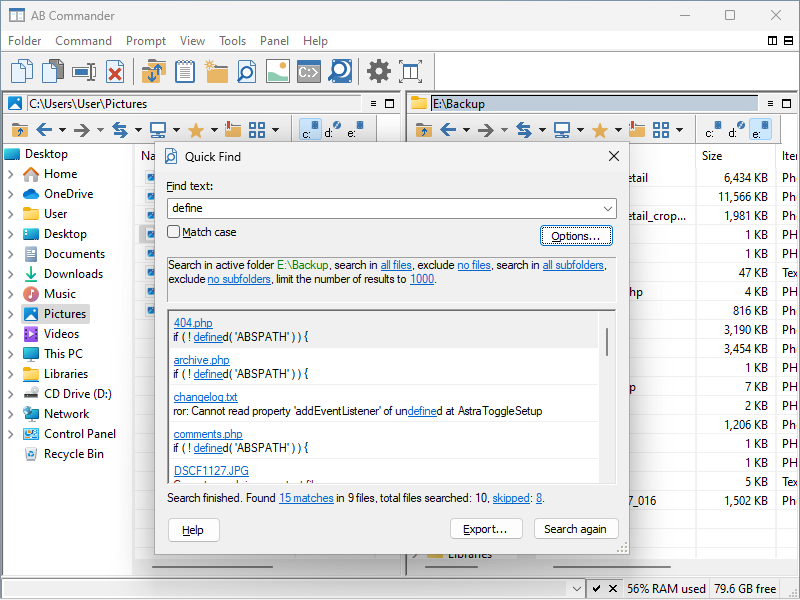
AB Commander offers a rich set of tools for navigating your computer and managing files. You can save time by using the quick access tools such as drive bar, history and favorites lists, customizable toolbars and keyboard shortcuts. You will also appreciate the power tools such as the built-in command line, commands to filter, compare, and synchronize the contents of folders, support for the regular, virtual, and compressed folders through the same unified interface, and more.
Once you start using AB Commander, you'll never want to use Windows Explorer again.
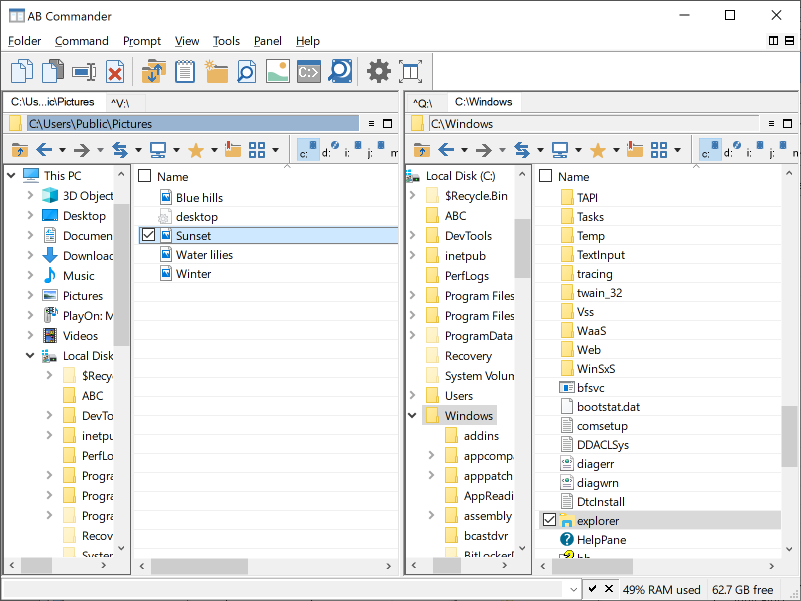
AB Commander in the light mode
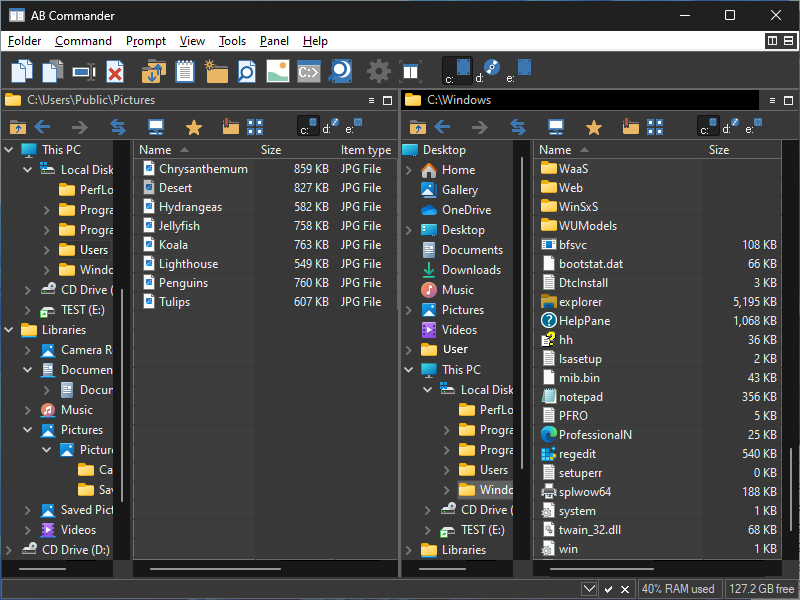
AB Commander in the dark mode
What can you do with AB Commander?

Why choose AB Commander?
AB Commander puts you in control of your files and folders.
You can use AB Commander to work with two folders at the same time, side by side, and perform operations with files and folders quickly and efficiently.
AB Commander is suitable for a wide range of file management tasks.
 Did you know? Our software USBCrypt can convert any USB flash drive or any other external drive into a secure storage device. You can try it free for 30 days. Read more...
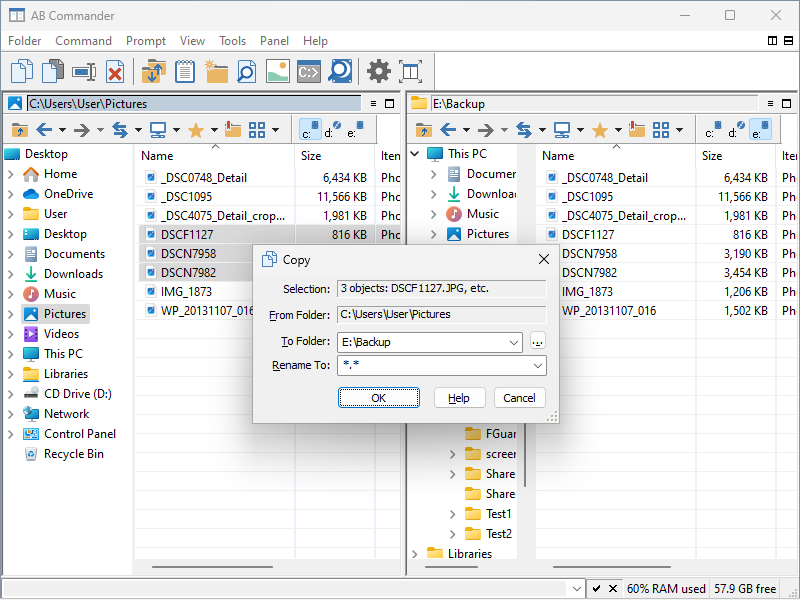
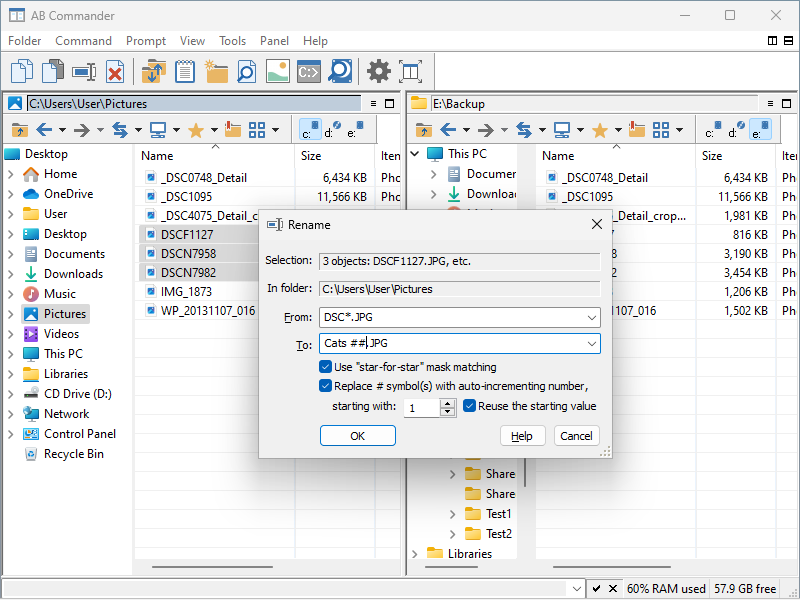
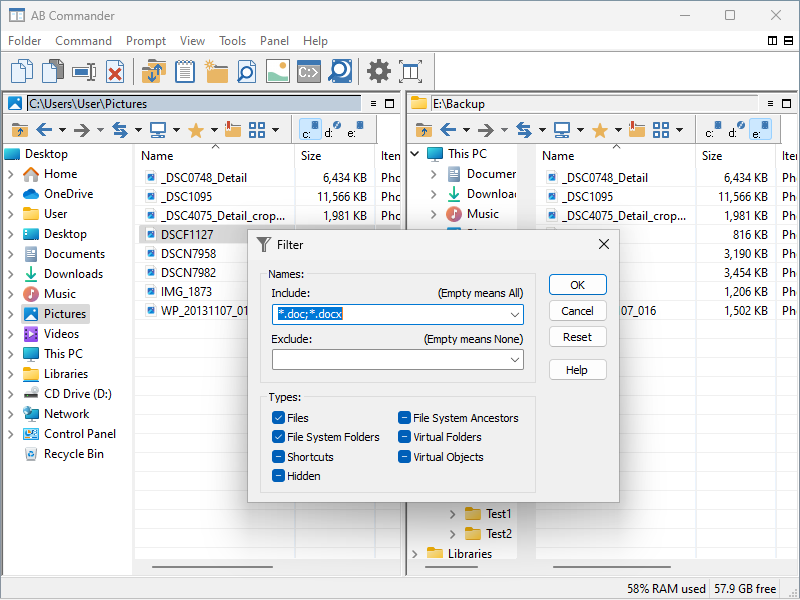
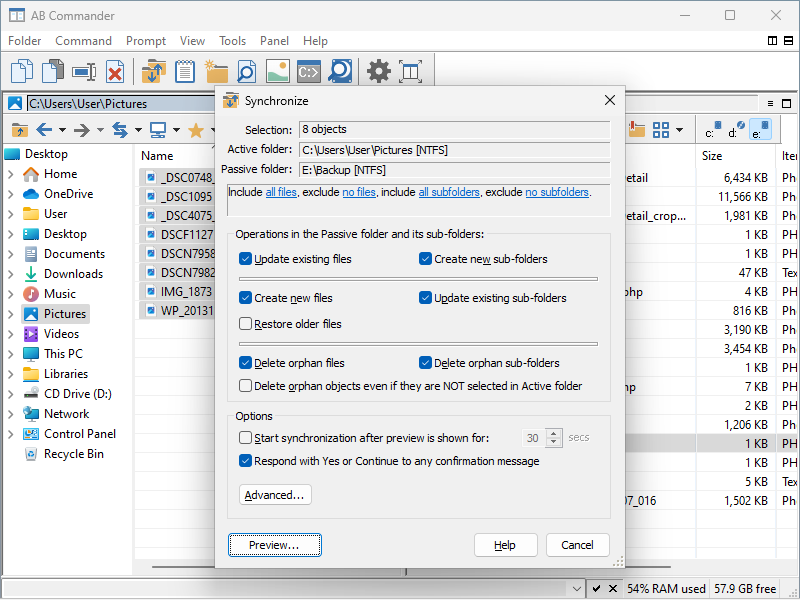
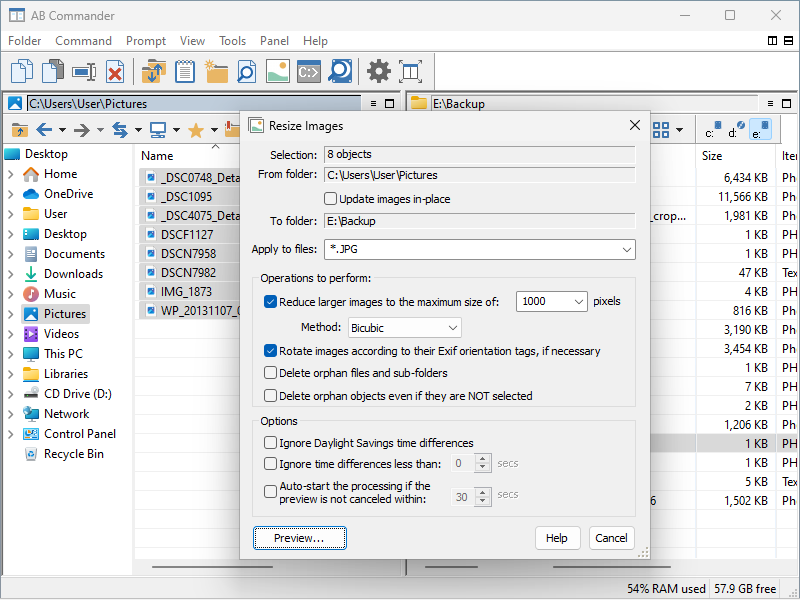
You can copy, move, rename, and delete files and folders, using the familiar drag-and-drop operations, or by choosing the built-in commands of AB Commander. You can split large files into smaller pieces and then merge them back into the original file. You can compare and synchronize folders, to determine which files require updating.
AB Commander works with drives of any format.
If your computer can handle it, AB Commander can work with it. AB Commander can manage files and folders on any media recognized by your computer, including the network and removable drives.
AB Commander runs on a wide range of Windows platforms.
From Windows 7 to Windows 11 with all service packs and hotfixes, both 32- and 64-bit (including ARM64) all are supported by at least one edition of AB Commander.
AB Commander is easy to use.
AB Commander sports one of the most intuitive user interfaces, that makes it easy to use by both novice users and computer professionals.
AB Commander "speaks" plain English.
Attention System Administrators: AB Commander is enterprise-ready! The AB Commander Administrator's Kit is available now.
You don't have to be a computer professional to understand how to use AB Commander. AB Commander User's Guide describes its commands and operation in plain English.
AB Commander is widely used.
Many thousands of copies of AB Commander have been downloaded by computer users from virtually all countries of the world.
AB Commander is flexible.
It lets you perform many operations in more than one way, letting you choose the most convenient method for you. You can customize the look and feel of AB Commander to suit your personal style and preferences.
AB Commander can be used with other disk and shell tools.
AB Commander fully supports the third-party shell extensions that come with other applications and might enhance the operation of Windows Explorer.
AB Commander is enterprise-ready.
For the corporate customers we offer a separate build of AB Commander that does not require license validation over the Internet. The AB Commander Administrator's Kit contains the installation files in both the EXE and MSI formats, allowing the system administrators to quickly deploy AB Commander to a large number of computers. The Kit also contains a Group Policy template that you can use to automatically deliver the license key to a large number of the client computers. It can also be used to restrict many commands of AB Commander, in case you need to protect the users from their own actions.
AB Commander is actively maintained.
Since its first release back in 1998, we've been continuously developing, enhancing, and improving AB Commander. Now in version 26.8, AB Commander gives you more power than ever.
And the last, but not least:
"It's just a very good file-management tool that puts Explorer to shame."
(ZDNet / Hotfiles.com)
If you have not done so yet, feel free to download a no-strings-attached-no-obligation installation file of AB Commander and see for yourself how AB Commander can be of use to you:
AB Commander User's Guide • Download • Purchase
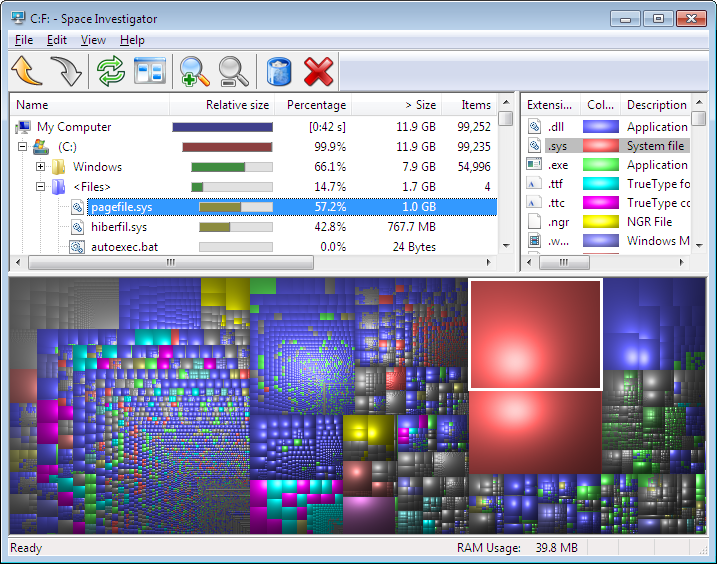
Space Investigator makes it easy to see how the hard drive space of your computer is allocated between different files and folders. You can use this information to find out which files and folders consume most space and delete the ones you no longer need. Buy AB Commander today and download Space Investigator for free!
Read more about Space Investigator...
More information
- What people are saying about AB Commander...
- A FREE 30-day license is included
- What's new in the new version
- End User License Agreement (EULA)
- Space Investigator
- Using DiffMerge as the external tool of AB Commander
- Is "Wipe the content" the same as "Secure Delete"?
- How to start programs elevated from a batch file
- How to make elevated programs recognize network drives
- How to disable hibernation
- How to set up Notepad++ as the external text editor for AB Commander
- Integrating AB Commander with Universal Viewer
- How to repair Windows desktop icons with AB Commander
- How to show drive letters first in AB Commander and Windows Explorer
- Organize your photo library with the Rename tool of AB Commander
- How to move images from an Android device to PC
- How to synchronize images between a PC and an Android device
- Using junction points to change the iTunes backup folder location
- Always have a backup of your important files
AB Commander 26.8

User rating:
 4.8 / 5
Buy AB Commander
from $49.97 $39.97
Download free trial
More information:
AB Commander Home Purchase AB Commander Download AB Commander Documentation Support
 Stand with Ukraine
Our software:
Folder Guard Encryptability USBCrypt AB Commander MySecretFolder ActiveExit StartFinity IconShepherd SpaceInvestigator SoftDetective TweakUAC
Is WinAbility.com safe?