My Secret Folder software to create a secret folder in Windows 11 or 10
 MySecretFolder is a Windows utility that lets you make a "secret" folder, where you can put files and documents that you want to be hidden from other users and protected with a password of your choice. The first thing to do is to download the installation file, save it to your hard drive, and then run it to install MySecretFolder on your computer. (Note that you can install it even if you have not purchased it yet: it comes with a free 30-day license that you can use to give it a try before purchasing the full license.)
When you first run MySecretFolder, it prompts you to select the folder you want to be "secret":
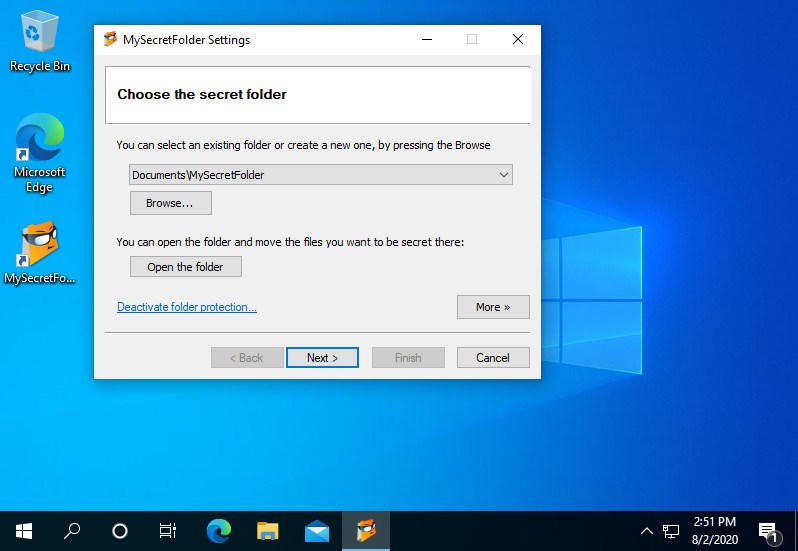
By default, it suggests you to choose a folder named MySecretFolder that would be created inside of the My Documents folder, which should probably work for most people. However, if you want a different folder to be secret, you can select it by pressing the Browse button. Almost any folder can be secret, unless it's a removable or a network drive, or is one of the system folders used by Windows. (If you choose a folder that's not suitable for protection, MySecretFolder software will warn you against protecting it.)
Did you know? If you want to protect files on a removable drive such as a USB flash drive or other external drive, consider another product of ours, USBCrypt, specifically designed to protect removable drives with strong encryption.
After selecting the folder to be secret, you can press the Open the folder button to open the folder in a window (while it's still unprotected) and copy or move the files you want to be secret into it. You can create subfolders inside of that folder, too, to better organize your private files, if you have a lot of them. The secret folder can have an unlimited unlimited number of files and subfolders, all of them will be protected just as well as the secret folder itself. You can also move and copy files in and out of the secret folder later on, too.
The next step is to create a password with which you want to protect the secret folder:
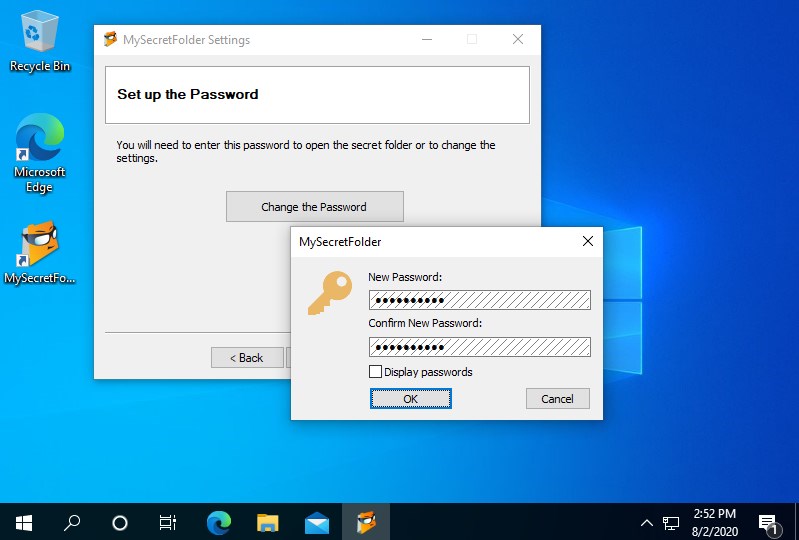
That's all that it takes for the folder to become secret, although you may want to review and adjust the options offered on the last page of the configuration wizard:
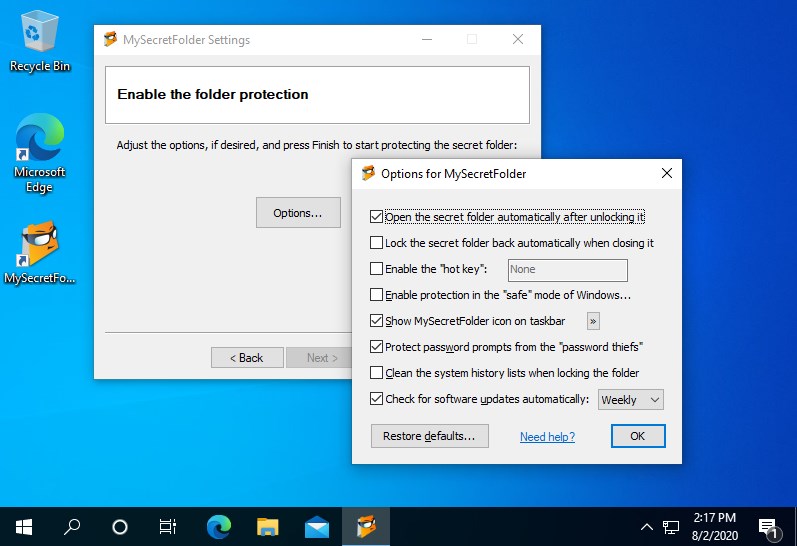
When you press the Finish button, the protection becomes effective and your secret folder becomes invisible: you will not appear in the file listings when you browse the computer with Windows Explorer, or use other Windows applications or the command-line tools. If someone else happen to login to Windows instead of you, they won't be able to see or open the secret folder (unless they use the special forensic investigation or similar low-level tools to examine the contents of your hard disk directly.)
Now, what if you yourself want to use the files that you've placed in the secret folder? Just run MySecretFolder utility and it will prompt you to unlock the secret folder by entering the password:
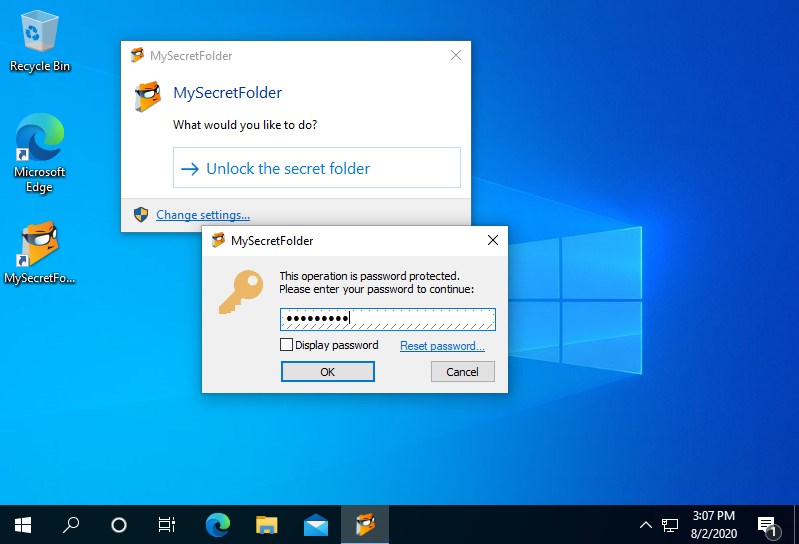
If the password is correct, the secret folder becomes visible and accessible, as before, and it opens in a window for you automatically. You can open the files from the secret folder, modify and save them back, copy the file to and from the secret folder, and do any other task as usual: when unlocked, the secret folder is no different form any other file folder. When you are done working with the secret folder and want to protect it again, you can just close its window and reply Yes when prompted to lock it back:
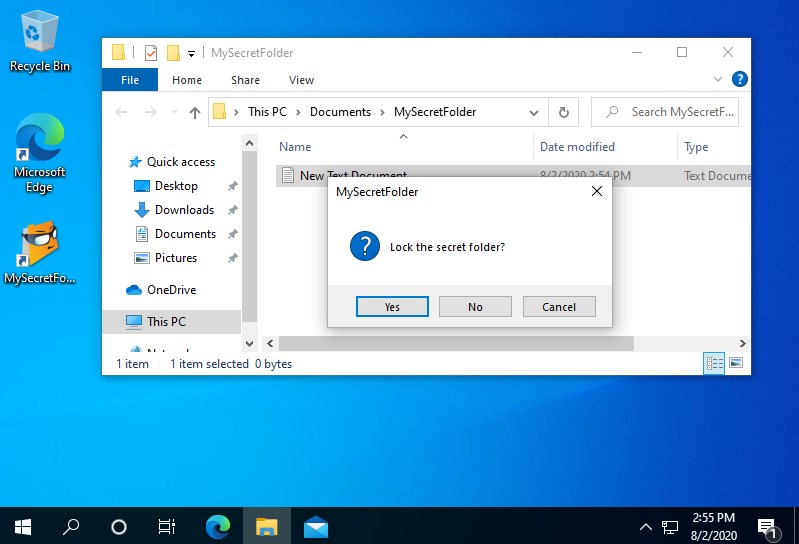
You can also reply No and the secret folder will remain unlocked. (You can see the state of the protection on the notification icon, if you've enabled the option to display such an icon: the green color means the secret folder is unprotected, the red color means it's protected.)
How to lock the folder if its window is not on the screen? There are several ways: you can just run the MySecretFolder utility off your desktop or from the Start menu, and it will prompt you to either open the folder or lock it:
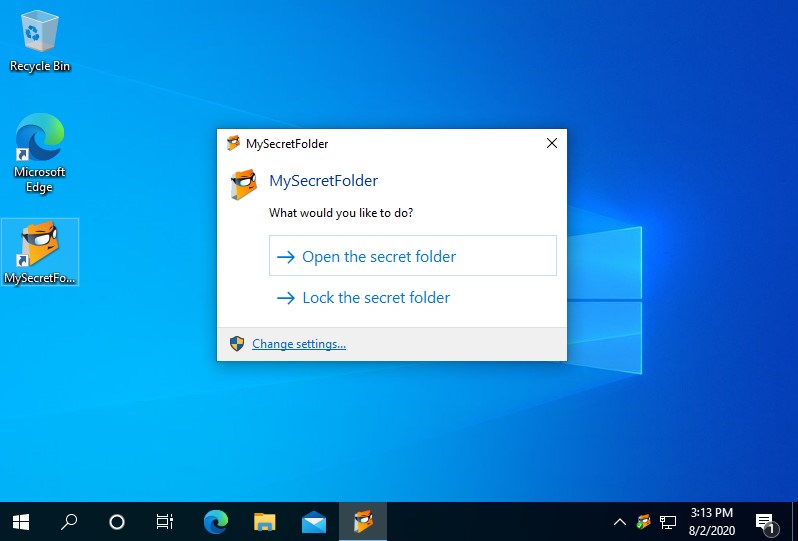
You can double-click the MySecretFolder notification icon to display this prompt. Or, you can run Windows Explorer, navigate to the parent folder of the secret folder, and right-click on the secret folder to access the Lock command. No matter which method you choose, when you lock the folder, it becomes invisible and protected again, until you unlock it with the password next time.
Use MySecretFolder for FREE for 30 days!
Try it for 30 days with no obligation to continue, no strings attached, no "nag messages" displayed to other users, and see for yourself how MySecretFolder can be of use to you. If you don't like it, simply use the Programs and Features (or Add/Remove Programs) command of Windows Control Panel to remove it from your computer, that's it.
Purchase MySecretFolder • Download MySecretFolder • How to use MySecretFolder
More information
- Frequently Asked Questions about MySecretFolder
- What people are saying about MySecretFolder...
- How to set up a hidden folder with MySecretFolder
- Changing options for MySecretFolder
- Compare MySecretFolder and Folder Guard
- End User License Agreement (EULA)
- How to password-protect a USB flash drive
- Always have a backup of your important files
MySecretFolder 20.8

User rating:
 4.6 / 5
Buy MySecretFolder
from $19.99
Download free trial
More information:
MySecretFolder Home Compare to Folder Guard Purchase MySecretFolder Download MySecretFolder Support
 Stand with Ukraine
Our software:
Folder Guard Encryptability USBCrypt AB Commander MySecretFolder ActiveExit StartFinity IconShepherd SpaceInvestigator SoftDetective TweakUAC
Is WinAbility.com safe?