The User Password |
|
The User Password |
|
In addition to the Master Password, you have the option to create the User Password of Folder Guard, by using the User Password command on the Protect menu of the Folder Guard application:
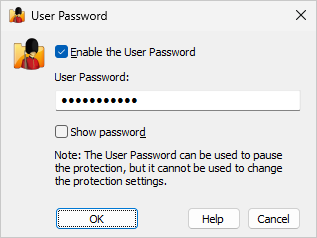
The User Password, when enabled, can be used to pause the protection of Folder Guard, but, unlike the Master Password, it cannot be used to change the settings of Folder Guard.
Note that the passwords used by Folder Guard are stored on your computer in the hashed form (based on the SHA256 secure hash algorithm), or encrypted with the AES encryption. In other words, it is practically impossible for someone to discover the text of the passwords by analyzing the contents of your storage device.

 Copyright © 2026, WinAbility® Software Corporation
  . All rights reserved